
Build, sign, and manage waivers for adventure parks
Create fully customizable waivers with a drag‑and‑drop builder. Run on an iPad as a dedicated kiosk, or share by SMS/QR to complete on any browser. Timestamped, searchable submissions with webhook integrations.
Built for zip lines, trampoline parks, bounce houses, and adventure venues.
Made for adventure and activity parks
Whether you run a zip line, trampoline park, bounce house, climbing gym, or outdoor activity center, Waiver Kiosk helps you collect, manage, and find waivers fast.
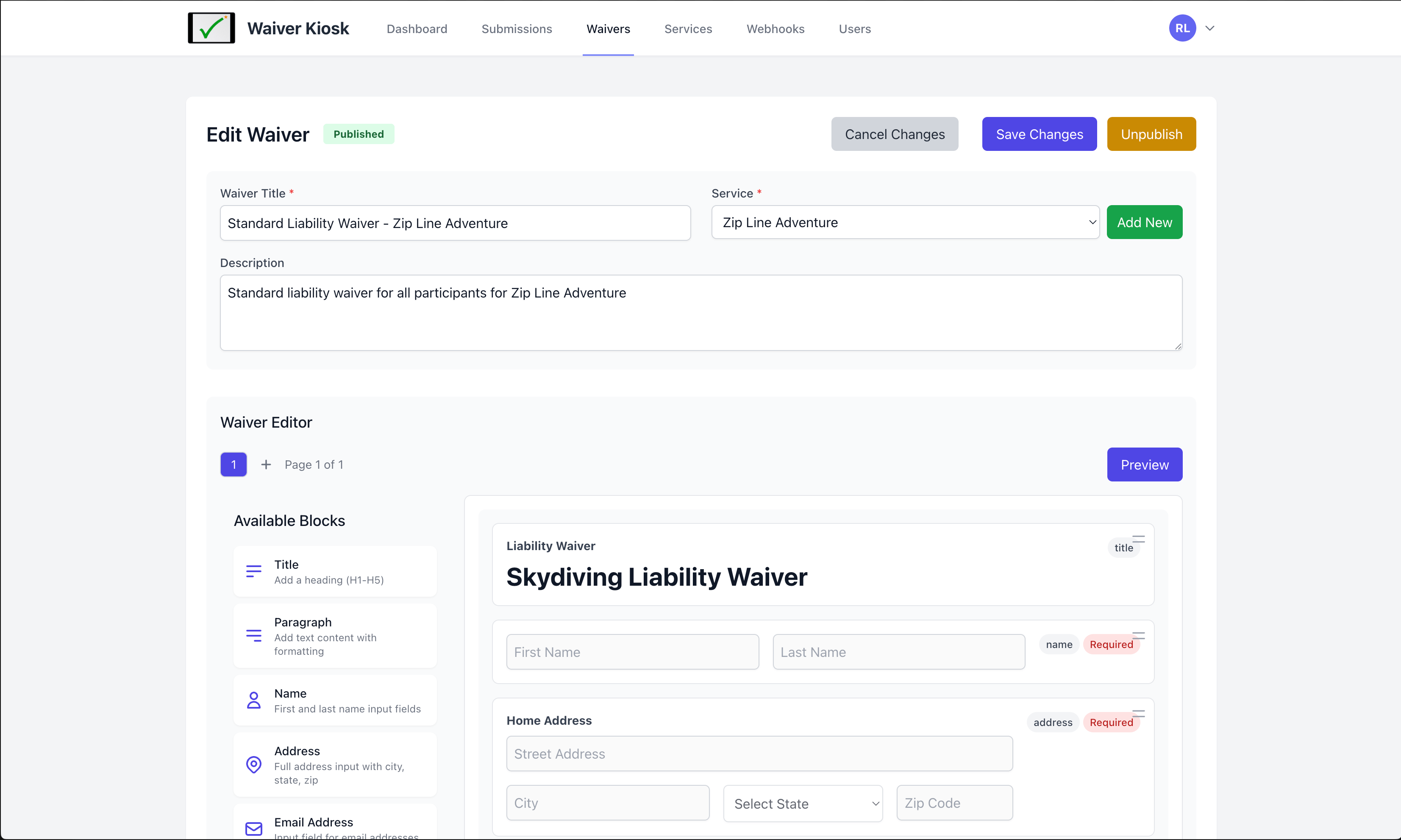
Drag‑and‑drop waiver builder
Fully customizable
Build waivers your way with blocks: headers, paragraphs, images, text inputs, select lists, checkboxes, radio buttons, signatures (e‑sign), file uploads, and toggle buttons.
Multi-Page Waivers
Add multiple pages per waiver for an easier waiver flow and presentation.
Required or optional
Mark any field as required or optional so you always capture the information you need.
Kiosk or shareable link
Run a dedicated kiosk on iPad or any tablet, or send a link via SMS or QR code to complete from any browser.
Timestamped, searchable
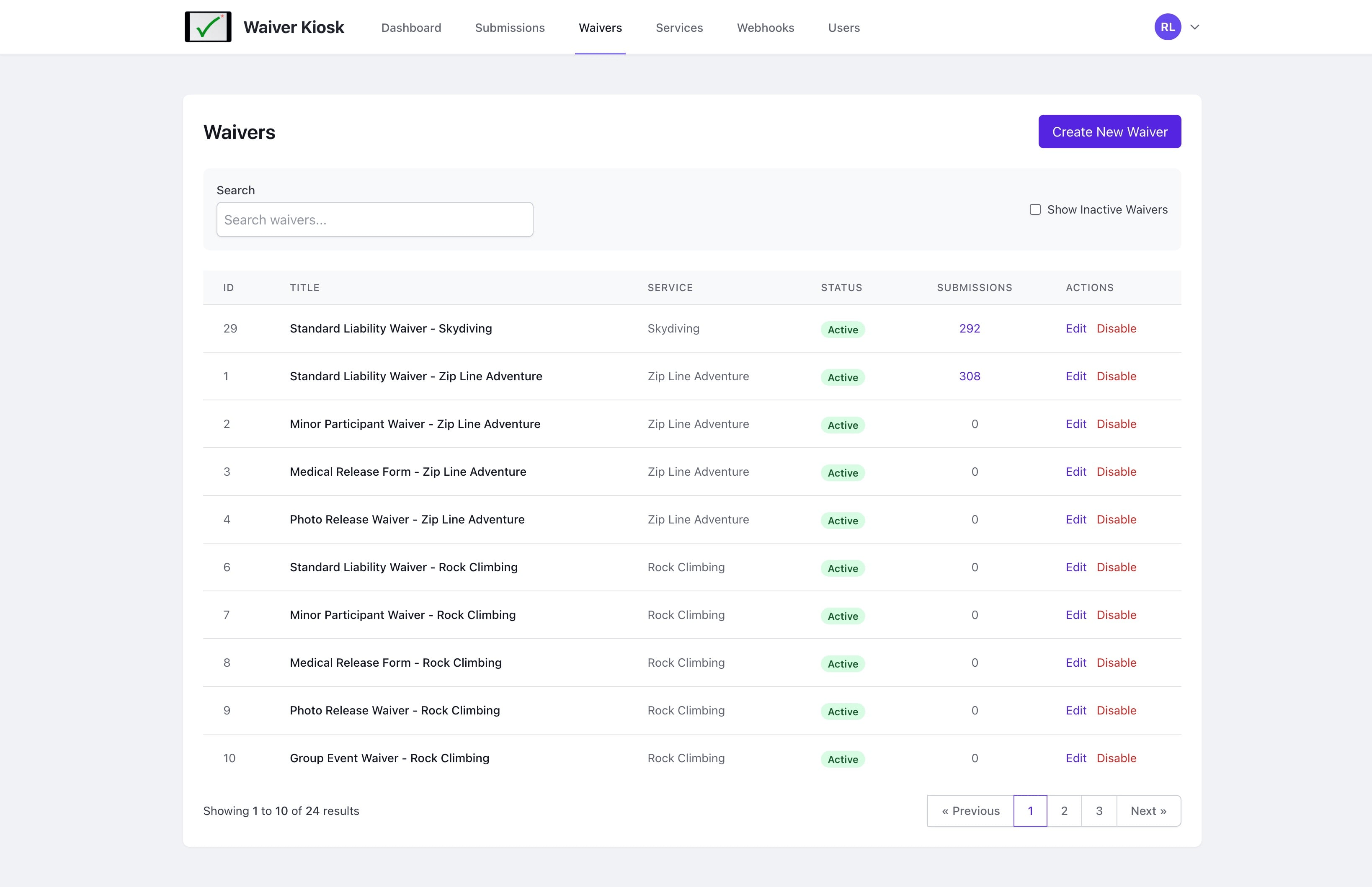
Every submission is timestamped. Easily view, search, and retrieve waivers when you need them most.
Webhook integrations
Send submissions to other systems with built‑in webhooks. Choose exactly which fields are sent per waiver.
Two simple ways to collect waivers
- Kiosk Mode: Set up an iPad or tablet as a dedicated station for high‑traffic entry points.
- Share a Link: Send via SMS or display a QR code so guests can complete on their own devices.
Integrate with your tools
Use webhooks to send waiver data to CRMs, reservation systems, marketing tools, or internal apps. Control what data gets sent for each waiver.
Simple pricing
Pick the plan that fits your venue. Upgrade any time.
Adventure
- 50 waivers
- 2500 waiver submissions per month
- 10 users
- 10 webhooks
Have higher volumes or special requirements? Contact us.
See Waiver Kiosk in action
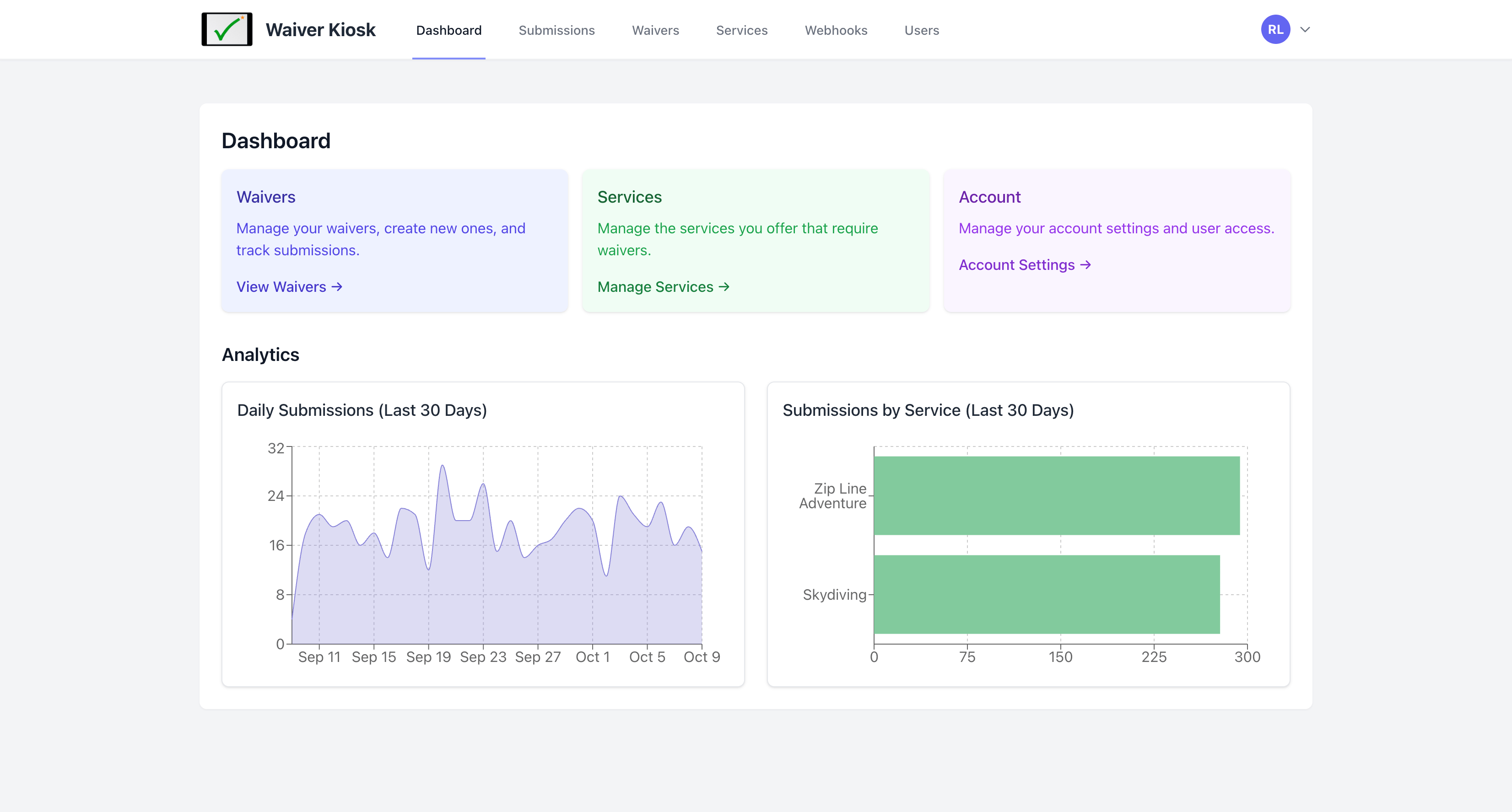
A quick look at the builder, dashboard, and waiver list.
Frequently asked questions
What devices does Waiver Kiosk support?
You can run a dedicated kiosk on iPad or other tablets. Waivers can also be completed on any modern web browser on phones, tablets, or desktops.
Can I control which fields are required?
Yes. Every field in the builder can be set as required or optional.
Do you support e‑signatures?
Yes. Add a signature block to capture e‑signatures directly in the waiver.
Can I integrate with other systems?
Yes. Use built‑in webhooks to send submissions to secondary systems. You can customize which fields are sent for each waiver.